
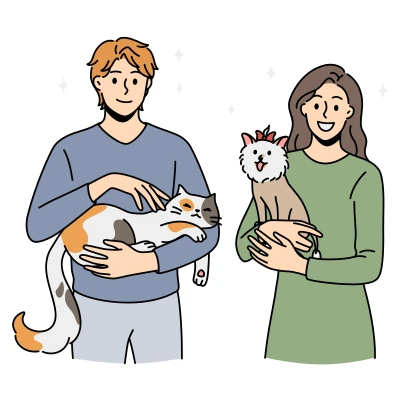
My private pet
Organizational pet
Your country sets the currency of prices and payments and where Findpet ID tags are shipped.
Other country? Choose USA: prices in USD.
The site language is changed separately, with the globe button.


Our partner, Pet Insurance Quotes, is a free-to-use pet health insurance marketplace that helps you compare top-rated providers all in one place, so you can find the right plan in minutes.
One account for findpet.com and the Findpet app.
Enter your password to sign in.
Choose a password. Next, you'll add how finders can reach you.
By creating an account, you agree to Findpet's Terms of Use and Privacy Policy.
We'll email you a link to set a new password.
Set a password to sign in with your email. If you signed up with Google or Facebook, you can use that button instead.
Not in your inbox? Check Spam or Promotions.
One account for findpet.com and the Findpet app.
Can’t get texts?
Only accounts where this number is confirmed are listed. Want one number per account? Remove it in the other account’s profile.
Create a free account with it — it takes your name and e-mail.
Already have an account with an e-mail? and confirm this number in your profile — next time it signs you in. A number typed in a profile but never confirmed doesn’t sign in, so nobody gets into an account by someone else’s typo.
By creating an account, you agree to Findpet’s Terms of Use and Privacy Policy. Msg frequency varies. Msg & data rates may apply. Reply STOP to stop, HELP for help.
Not you? This number was confirmed on that account.
You just proved the number is yours with the code. The other account keeps its pets and e-mail, gets an e-mail about the change, and signs in with e-mail from now on.
You chose Hide My Email. Apple forwards our emails to you.
So a shelter or vet can reach you when your pet is found.
Didn't get the text? You can add your pet now and confirm the number next time.
How it works
Findpet does two jobs: it protects your pet before anything happens, and it helps bring them home if they go missing. Here is every step — for families, finders, vets and shelters.

1Part 1
Three layers in one free pet profile. Each gives a finder a different way to reach you.
Any brand, free for life. Vets and shelters find it through the AAHA Universal Pet Microchip Lookup.
Register my pet — freeAnyone can scan the QR code or tap NFC with a phone — no app needed — and reach you.
Shop tags and collars

 4 photosNose print
Clear photos make your pet findable by photo search. Dogs can add a short nose video in the app.
Add photos2Part 2
Report once — everything else starts by itself. No account needed until the last step.
Photos, the place and time you last saw your pet, and how finders can reach you.
Neighbors who follow your area, shelters, vets and animal control nearby get an alert. Print the free flyer. Optional: Boost on Facebook.
Your pet appears in photo search, and Help Reunite Pets asks people to compare it with found pets.
They message you through Findpet; your phone and email stay private unless you show them.
3Part 3 · A finder has your pet
The fastest way home: one scan connects the finder and the family.
The finder points a phone camera at the QR code or taps the NFC tag. No app needed.
The phone asks to share where the pet was found. If the finder agrees, the scan includes the place.
Photo, name and the basics, with buttons to call, text or message you. You choose which contacts show.
By email on every plan, by text message with Premium — with the place, when the finder shared it.
Talk directly, or keep your number private and message through Findpet.
Mark your pet as home, and any alerts stop.
3A finder has your pet
Microchips have no GPS; a scanner reads only the number. That number leads to the family.
Most clinics and shelters scan for free.
On Findpet or in the AAHA lookup, which shows that the chip is registered with Findpet.
Organizations signed in to Findpet see the contacts and send a notification right from the record.
Our found-pet hotline looks up the chip and connects the caller with the family.
Found a pet with a microchip or a Findpet tag? Call the found-pet hotline. We look up the number and connect you with the family.(844) 999-3390
3A finder has a pet
A photo is still a way home.
Take or upload a photo. We compare it with registered, lost, found, shelter and vet pets.
Your report reaches Lost Pet Alerts and the lost & found database.
Help Reunite Pets shows your found pet next to similar lost pets until someone recognizes them.
4Part 4
Choose which phone or email a finder sees. Messages through Findpet keep them private.
A finder's phone shares the place of a scan only if the finder allows it.
Findpet never asks for money to return a pet. Don't send money or codes before you see your pet.
Don't try to get the pet back yourself — contact the police and the family.
No. The phone camera opens the pet's profile from the QR code, or a tap reads the NFC tag. The app is optional.
Only if the finder allows it when the phone asks. Then the family's scan alert includes the place of the scan.
Yes. Scan alerts come by email on every plan and by text message with Premium.
Only the contacts you choose to show on your pet's profile. Finders can always message you through Findpet without seeing them.
It is for people who found a pet with a microchip or a Findpet tag: we look up the number and connect the caller with the family. For anything else, email hello@findpet.com or chat with us.
A tag helps faster: anyone with a phone can scan it on the street, while a chip needs a scanner at a vet or shelter.
Questions? Chat with us — we usually reply in a few minutes.