


All chips register to your organization at once
One link — all the microchips of the pack are registered to your organization. No typing chip numbers one by one.
My private pet
Organizational pet
Your country sets the currency of prices and payments and where Findpet ID tags are shipped.
Other country? Choose USA: prices in USD.
The site language is changed separately, with the globe button.

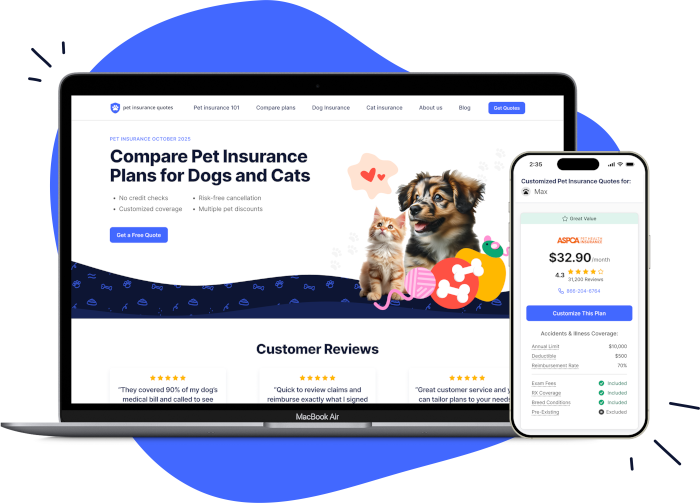
Our partner, Pet Insurance Quotes, is a free-to-use pet health insurance marketplace that helps you compare top-rated providers all in one place, so you can find the right plan in minutes.
One account for findpet.com and the Findpet app.
Enter your password to sign in.
Choose a password. Next, you'll add how finders can reach you.
By creating an account, you agree to Findpet's Terms of Use and Privacy Policy.
We'll email you a link to set a new password.
Set a password to sign in with your email. If you signed up with Google or Facebook, you can use that button instead.
Not in your inbox? Check Spam or Promotions.
One account for findpet.com and the Findpet app.
Can’t get texts?
Only accounts where this number is confirmed are listed. Want one number per account? Remove it in the other account’s profile.
Create a free account with it — it takes your name and e-mail.
Already have an account with an e-mail? and confirm this number in your profile — next time it signs you in. A number typed in a profile but never confirmed doesn’t sign in, so nobody gets into an account by someone else’s typo.
By creating an account, you agree to Findpet’s Terms of Use and Privacy Policy. Msg frequency varies. Msg & data rates may apply. Reply STOP to stop, HELP for help.
Not you? This number was confirmed on that account.
You just proved the number is yours with the code. The other account keeps its pets and e-mail, gets an e-mail about the change, and signs in with e-mail from now on.
You chose Hide My Email. Apple forwards our emails to you.
So a shelter or vet can reach you when your pet is found.
Didn't get the text? You can add your pet now and confirm the number next time.
Link a multipack or megapack of Findpet microchips to your organization. You see every chip in the Dashboard and get alerts when someone looks one up — also for pets already registered.
It's on the sticker of the multipack (20 microchips) or megapack (300 or 500). Two ways:
Lost the sticker? Chat with us — one microchip number from the pack is enough to find it.
Why link the pack
Bought microchips but haven't registered on Findpet yet? Linking the pack is what connects the chips to you — and it's how a lost pet finds its way back, even if the family never registers.
One link — all the microchips of the pack are registered to your organization. No typing chip numbers one by one.
Whoever looks up or scans a chip of the pack sees your name and phone. If the family doesn't answer, the finder calls you.
Lookups, scans and finders' messages about these pets reach your organization too — by e-mail and text to your alert contacts.
Even if a family never registers the chip, the finder still reaches your organization — and you know which pet it is.
The first person to join, if their account e-mail matches the organization’s admin or public e-mail on Findpet — right away. If it doesn’t match, Findpet Support checks the request and lets you know in the chat (or by e-mail) within 2 business days.
The same way: Dashboard → Organization ID → your Findpet Organization ID → Join. Their request goes to your organization’s admins, who approve it in Dashboard → Manage members → Approve request (or Reject request).
Yes. Any admin can make a member an admin too: Manage members → Promote to admin.
Every member sees it in Dashboard → Organization profile. Not a member yet? Ask a colleague, or chat with us.
Register your organization. Once it’s approved, join it with its Findpet Organization ID — with the e-mail from the registration form you’re in right away — and link the pack here. Until then the chips aren’t connected to you, so a finder can’t reach you.
They keep their families. Your organization sees these pets in the Dashboard and gets a copy of the alerts and finders’ messages about them.
We never move them on our own. Link the rest, then press Contact support — the message is filled in with the pack and the chip numbers; tell us why they’re yours.
An admin of an approved organization (not a distributor account). The pack links to the organization, not to the person.
Questions about packs? Contact support · microchips@findpet.com